Order Field Search
POSify allows users to search for product and cart fields that have been added to previous orders. The previous 1000 orders will be searched.
Available filters
Navigate to the Order field search page in the POSify Shopify Admin app. The following table filters will be available:
- Field Type: Product fields or cart fields
- Locations: A list of your active locations
- Date Range Choose from Today, Yesterday, Last 7 days, Last 30 days, Last 90 days or Last 12 months
Your store's custom fields will also be shown as a list of filters at the top of the table.
Searching for custom field values
To search for an order that contains a custom field value, select your filter and choose one of the following:
- Any value: This will return every order that has this custom field
- Missing value: This will return every order that does not have this custom field
- Specific value: This will return every order that has a custom field that matches the inputted value
Click the order number to navigate to that order in Shopify Admin.
Product fields
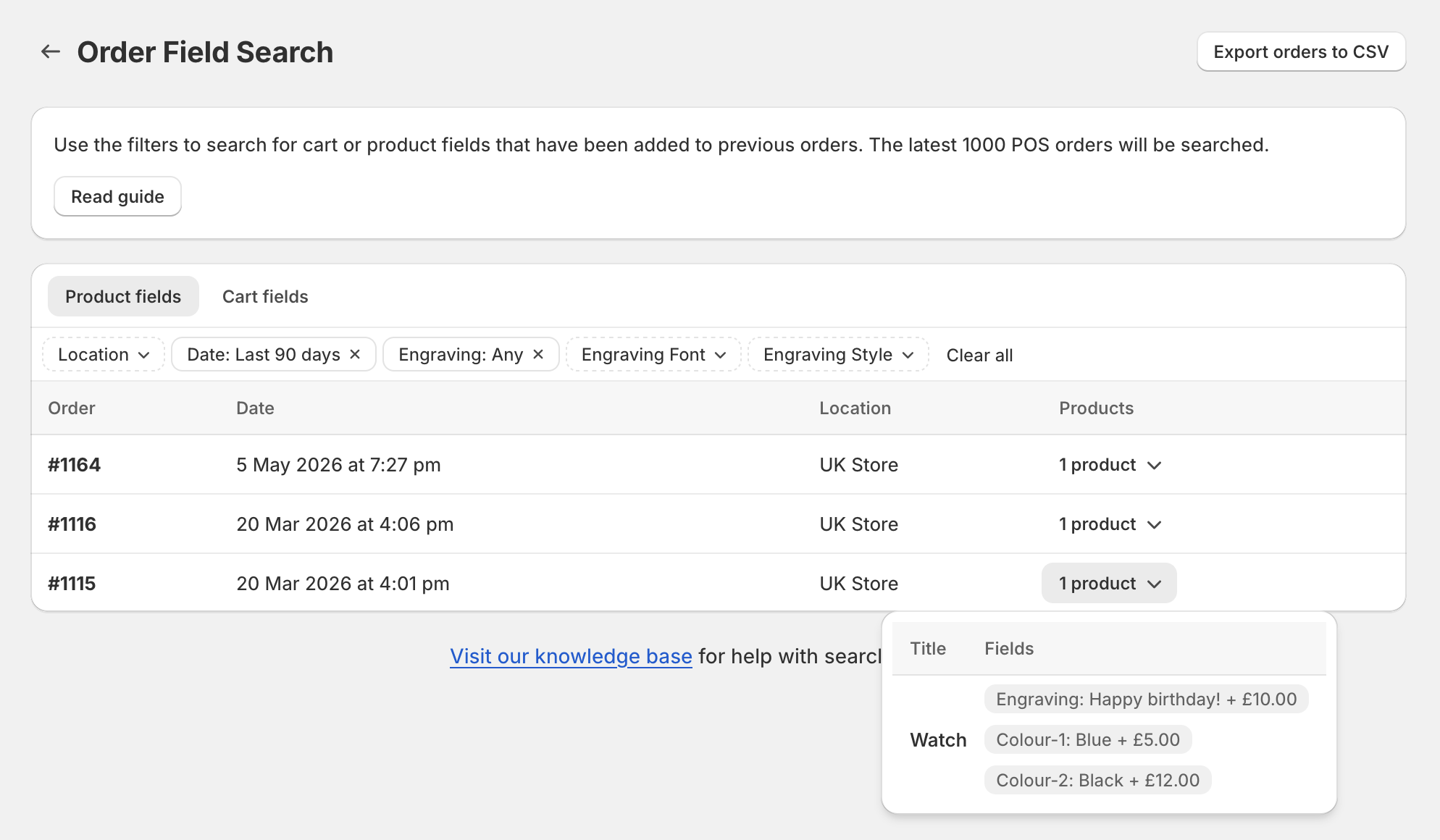
A sub-table will appear on the table row, listing the products belonging to the order, along with that product's customization fields:
Cart fields
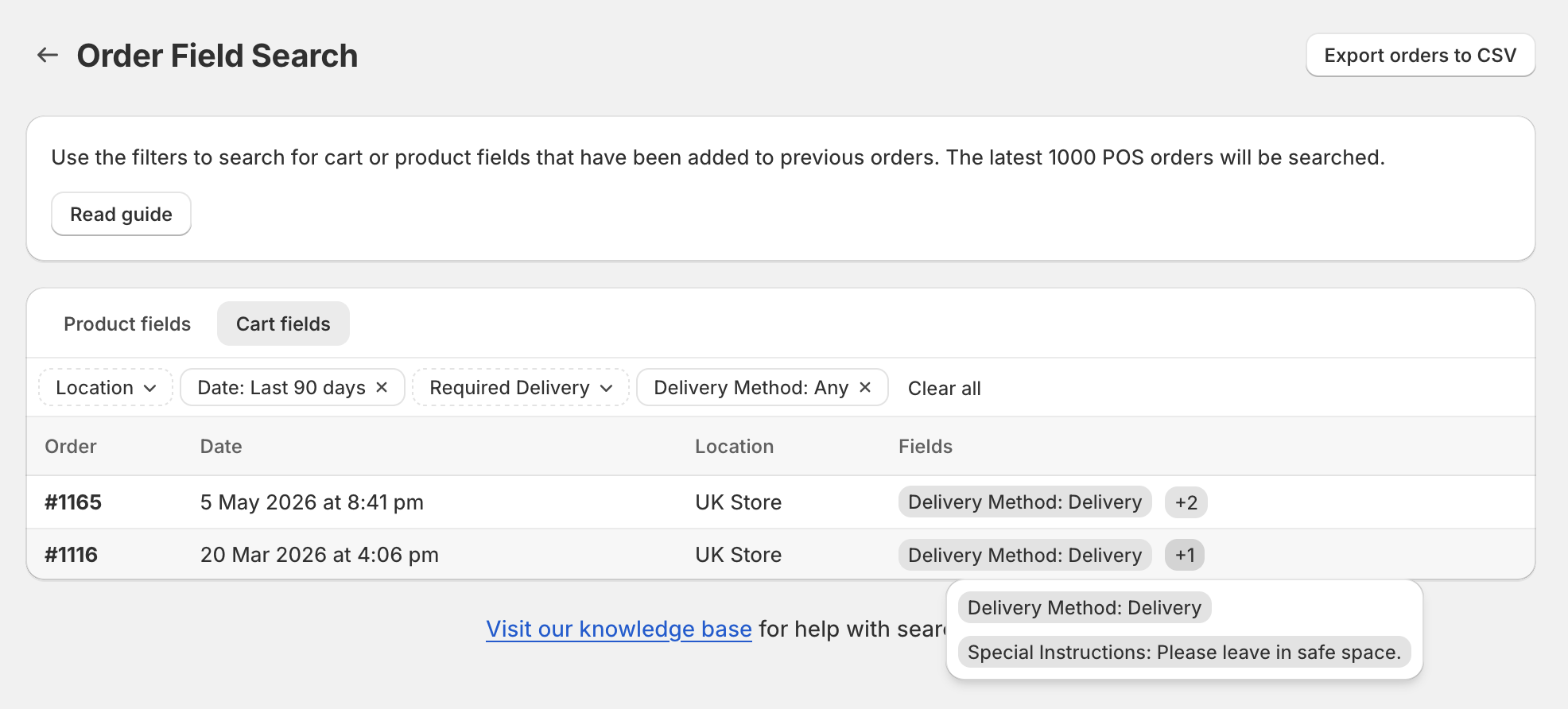
The cart fields associated with the order will appear as tags in the table row:
Exporting orders
To export your POS orders, click the Export orders to CSV button. You can choose to export the last 1000 orders, or only the orders currently being filtered in the table. You can also choose to flag orders that are missing required fields.