Uploading Photos In POS
POSify allows users to attach photos taken on their POS device to a product, cart or post purchase field.
SUBSCRIPTION PLAN
POS photo uploads are only available to customers on the Growth or Pro plan.
Creating the field
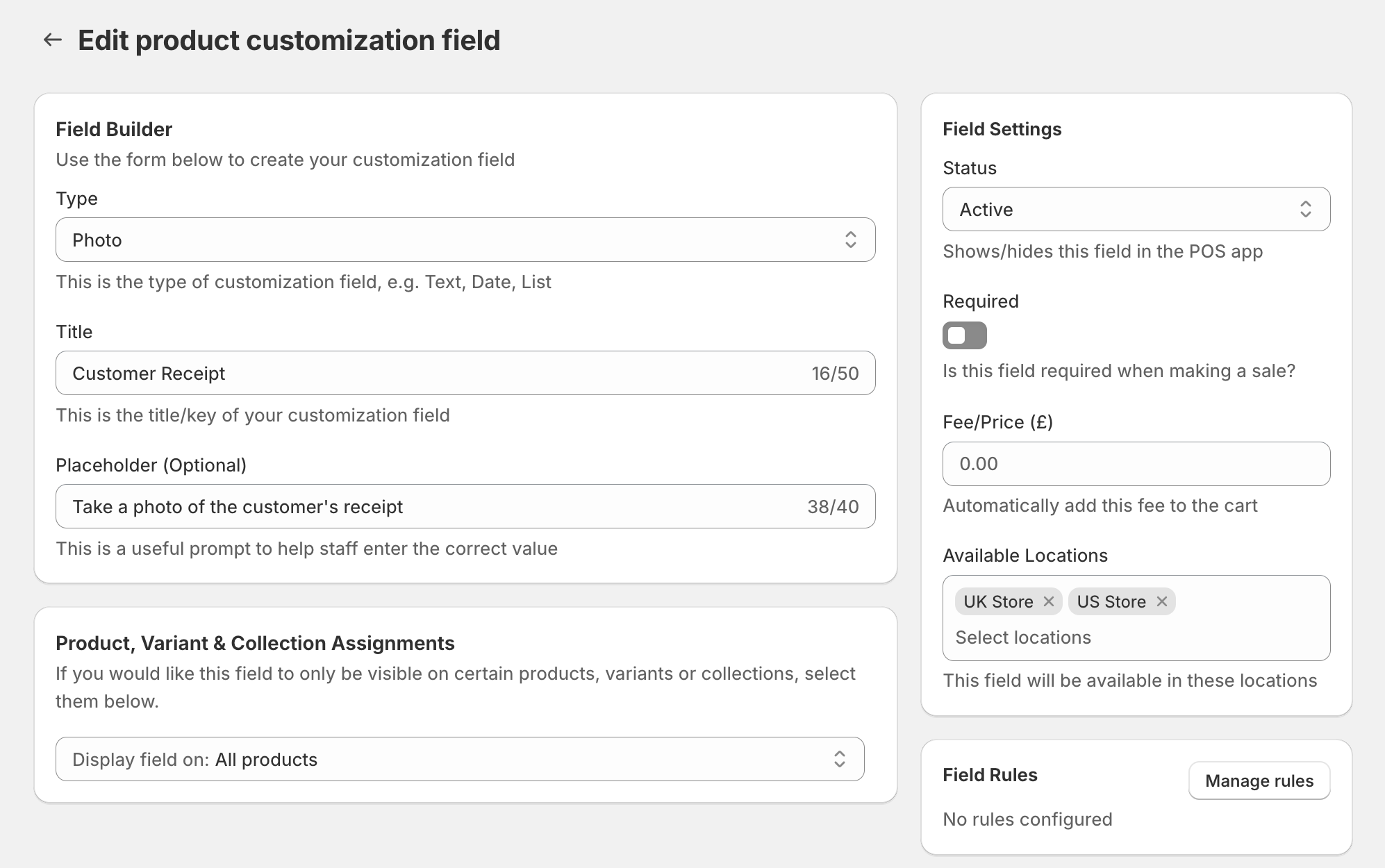
Create a product, cart or post purchase field, and set the field type to Photo, along with a suitable title:
Capturing photos in POS
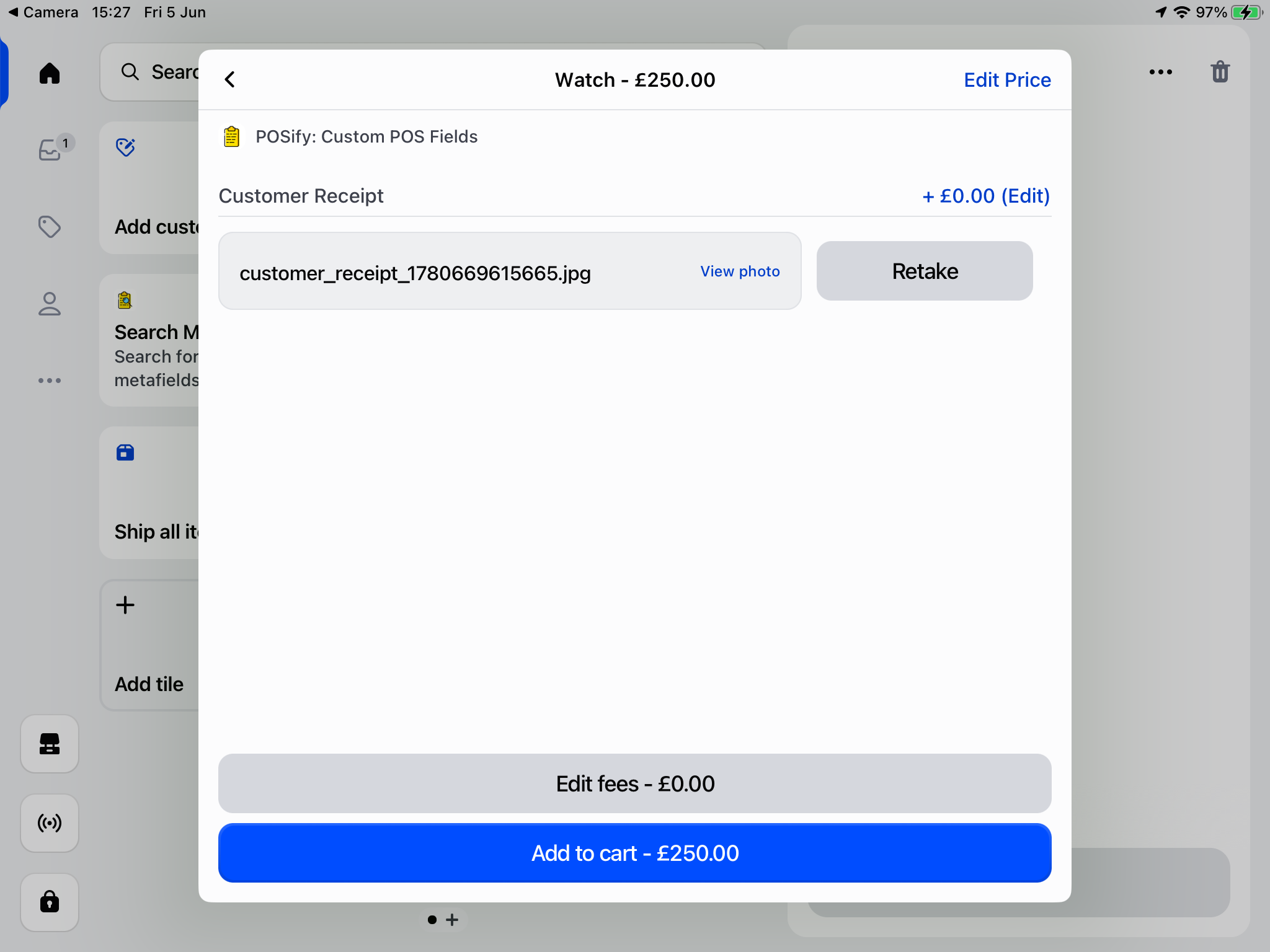
On your POS device, open the POSify app, where you'll see your new photo field.
Tap the Take photo button to take a photo, and once taken, click Use photo. This will store your photo in the field:
Accessing the values in Shopify Admin
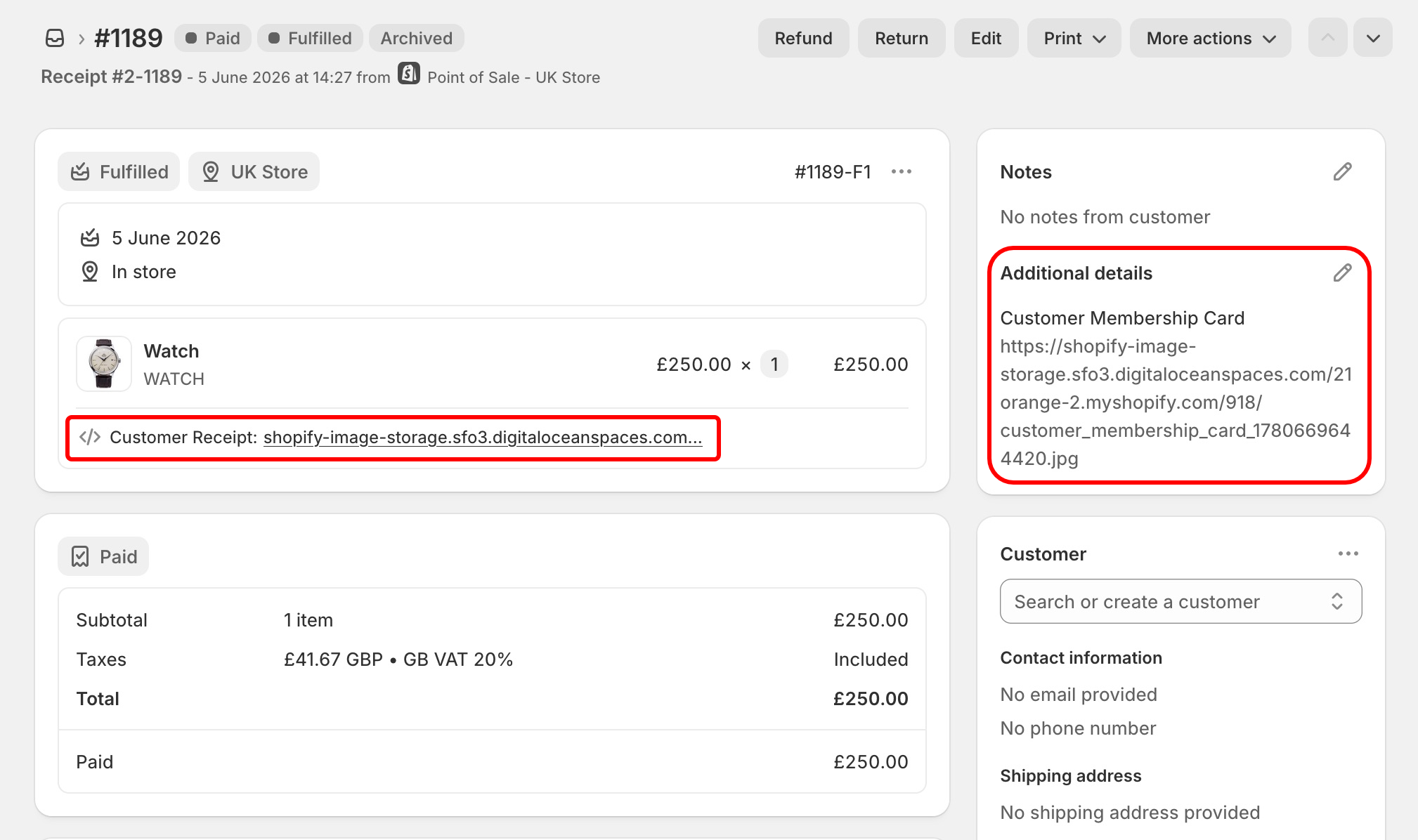
A link to your photo will be stored against the product/order on your Shopify Admin order page: