How can I automatically apply a field to the POS cart?
In POSify, it's possible to automatically apply cart fields to the cart. First, navigate to the POSify settings page, and enable the Allow cart fields to be applied automatically setting:

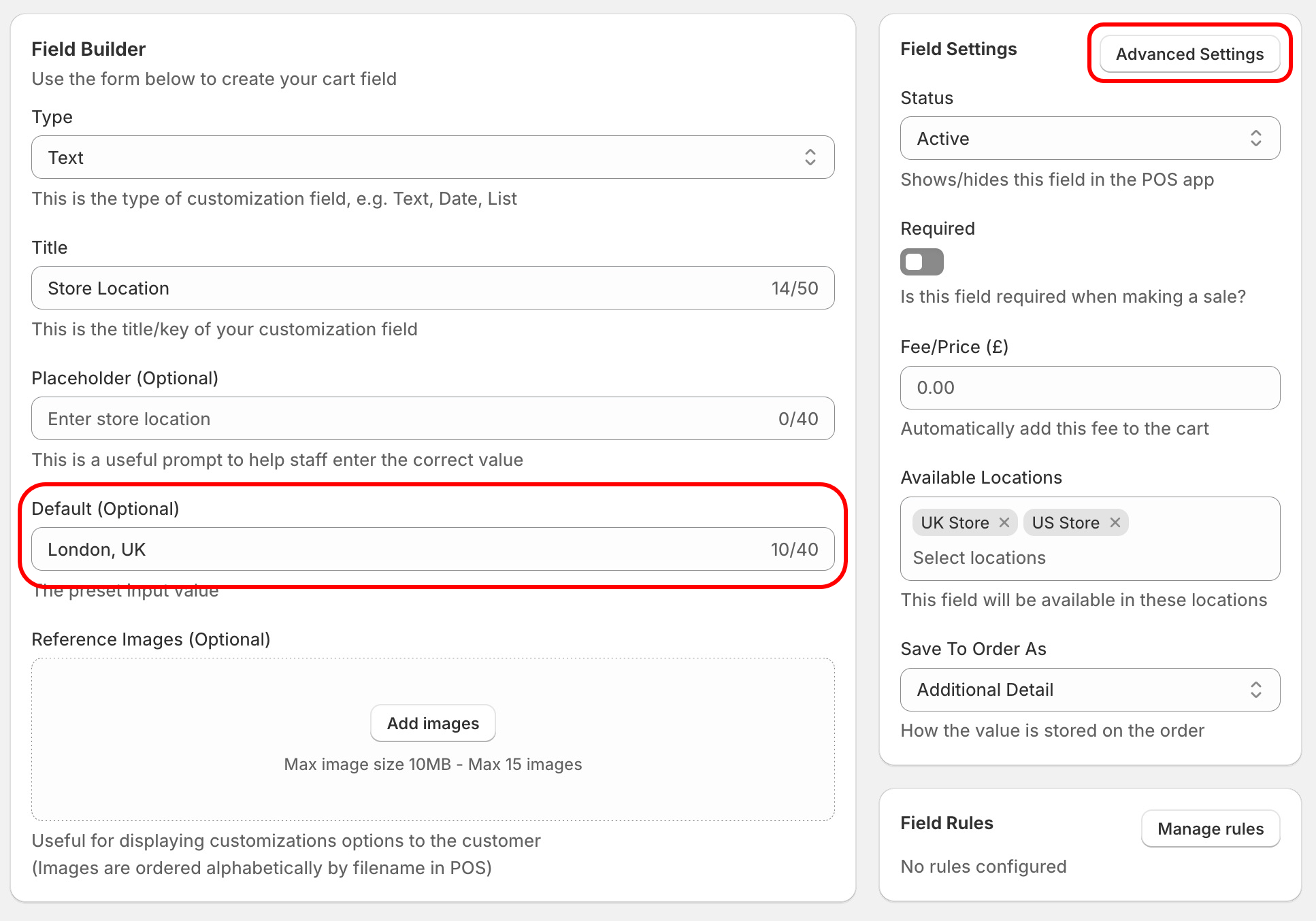
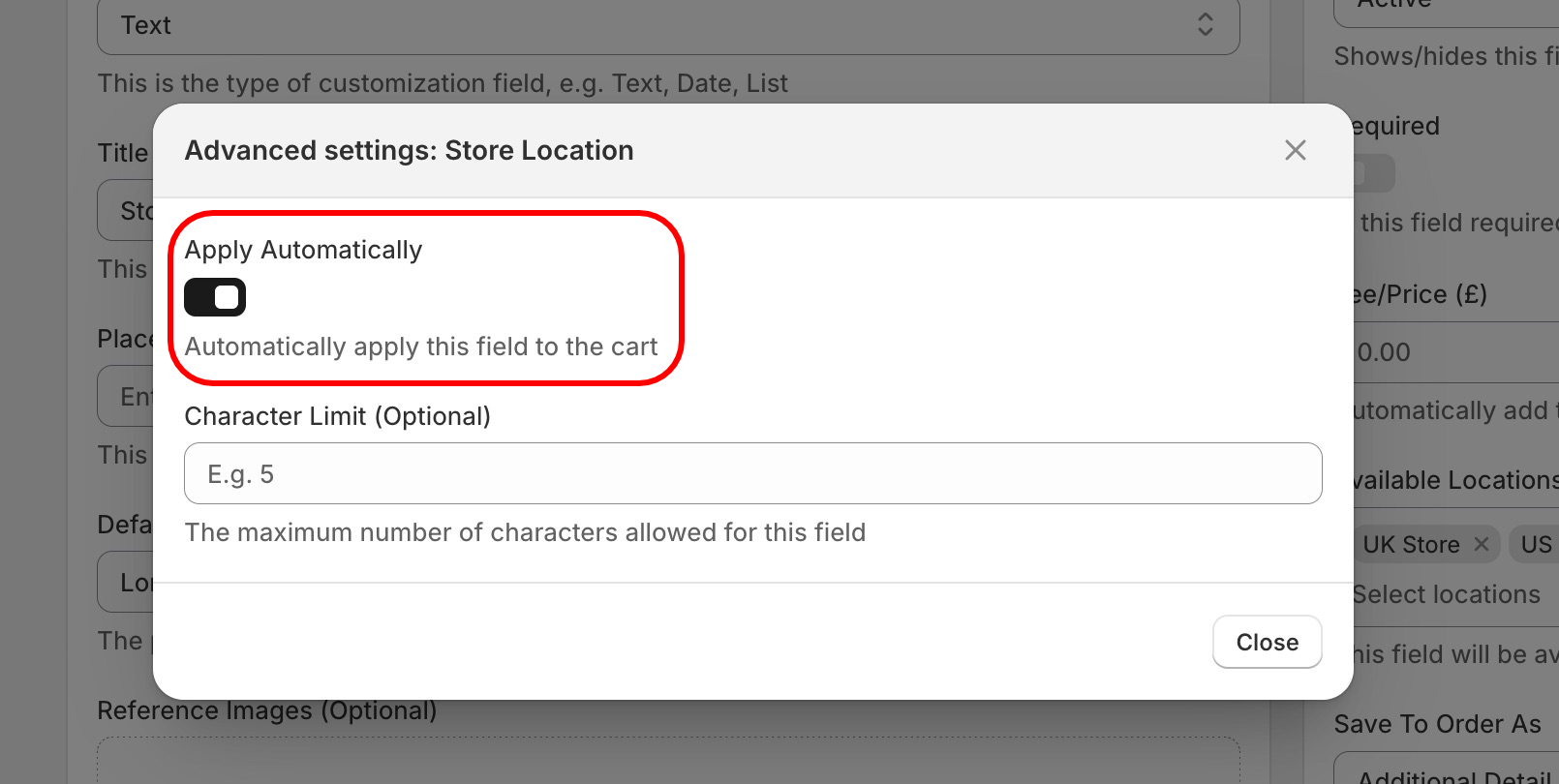
Next, navigate to a cart field in the POSify Shopify Admin app. Open up the Advanced Settings, and set the Apply Automatically setting to true. Ensure that a Default value has been set for the field, and click Save:
Now, in the Shopify POS app, whenever a product is added to the cart, this field will be automatically applied to the cart.