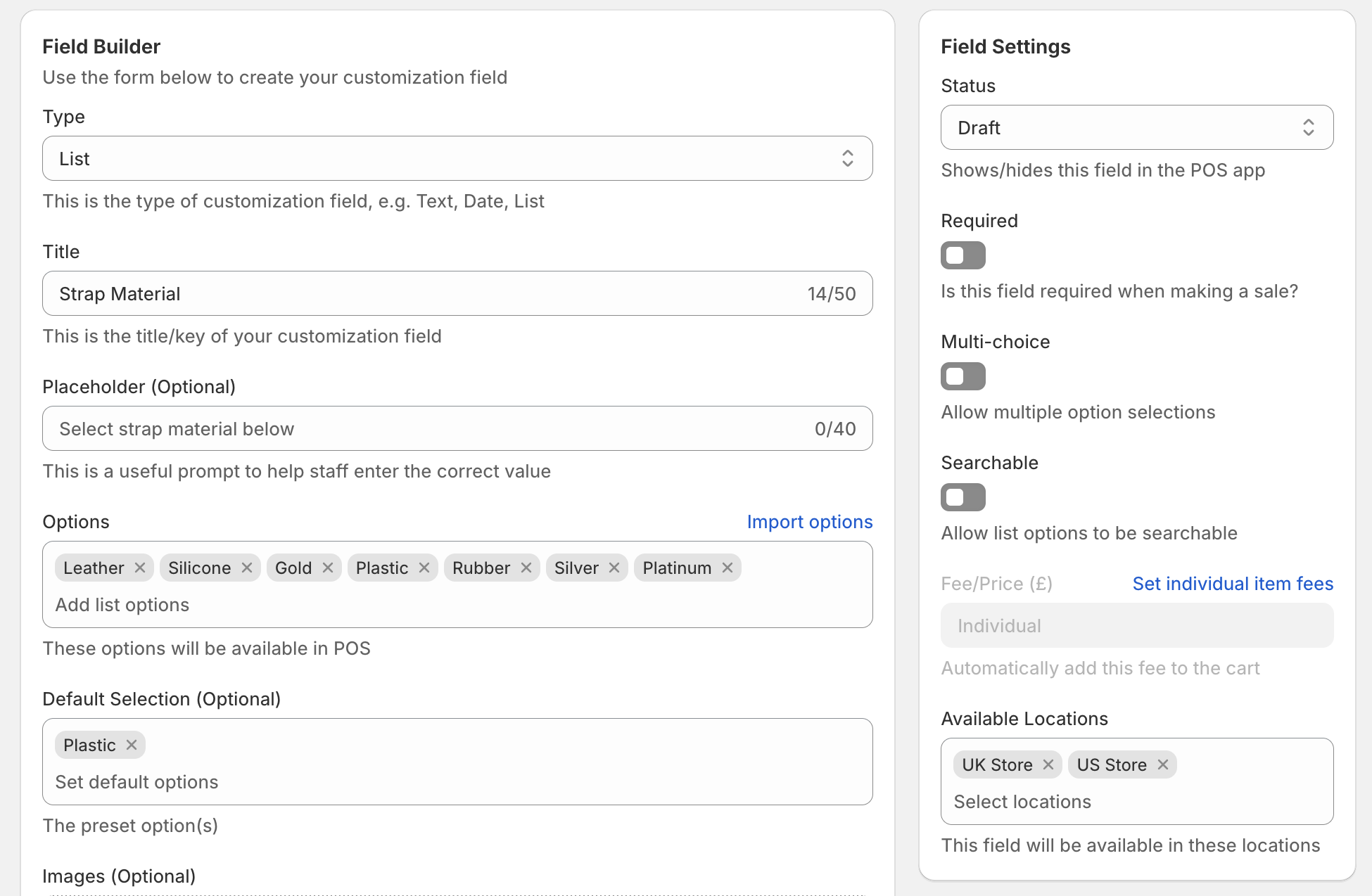
How can I import list options?
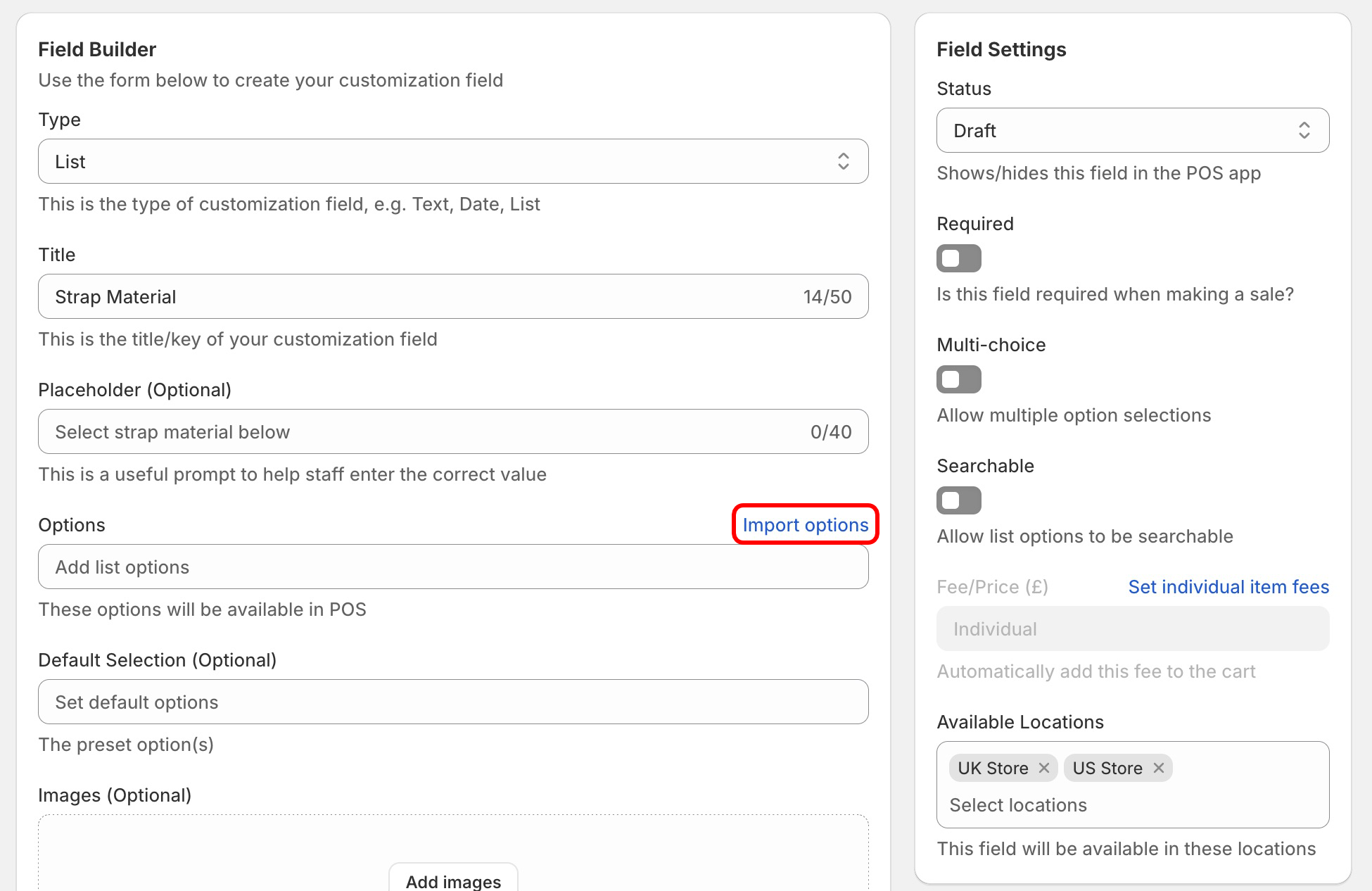
To import customization field list options, first navigate to your product, cart or post purchase customization field in the POSify Shopify Admin app. Ensure the Type is set to List, and then click the Import Options button:
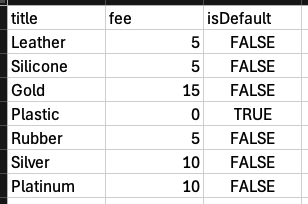
Next, download and fill in the sample CSV template:
- Title: The title of list option (max 50 characters | must be unique)
- Fee: The fee/price of the list option, if required (must be blank or a decimal)
- isDefault: Whether this option is the default option for the list (must be TRUE/FALSE | only 1 item can be marked as TRUE, unless it's a multi choice list)
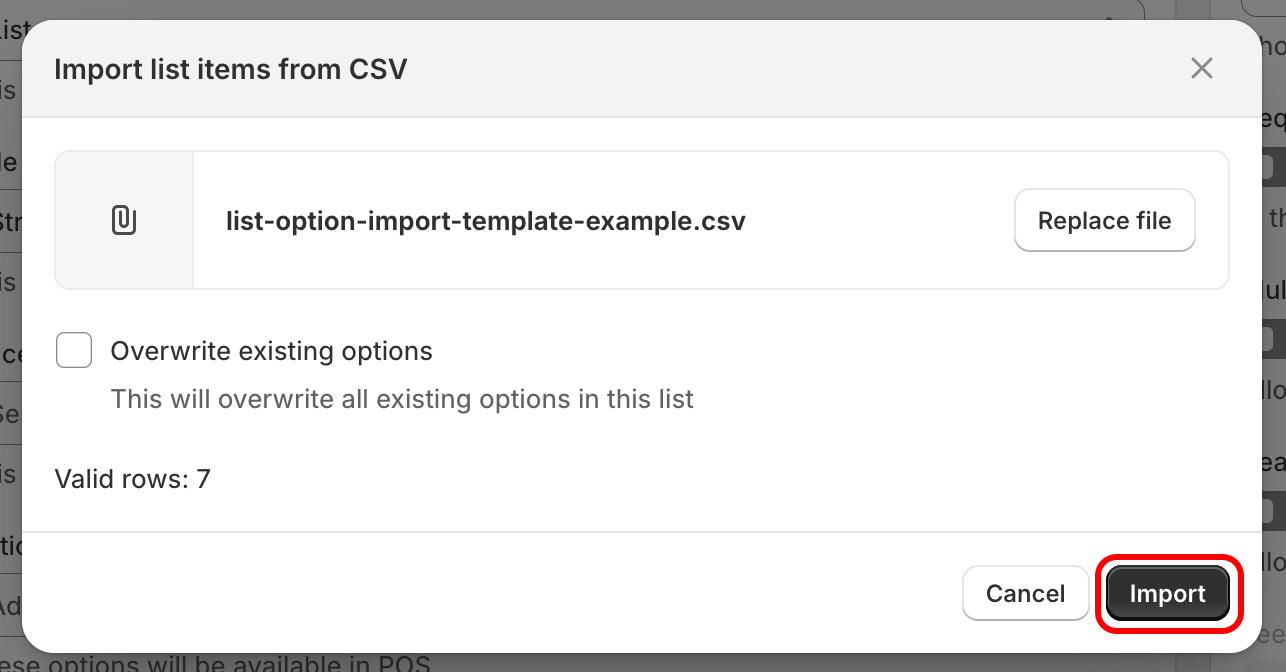
Upload the file, and click Import (if you wish to overwrite the existing options, check the Overwrite existing options box):
Your new list options will now be added to your field, along with any pre-selected default options, and their fees. Click Save, to save the field: